
How to Set Up a Home Office That Impresses Clients and Boosts Productivity
A professional home office setup can improve productivity and help create a positive impression during client meetings. From ergonomic furniture and video call lighting to workspace organization and privacy, these practical tips can help entrepreneurs build a polished, client-ready office without spending a fortune.
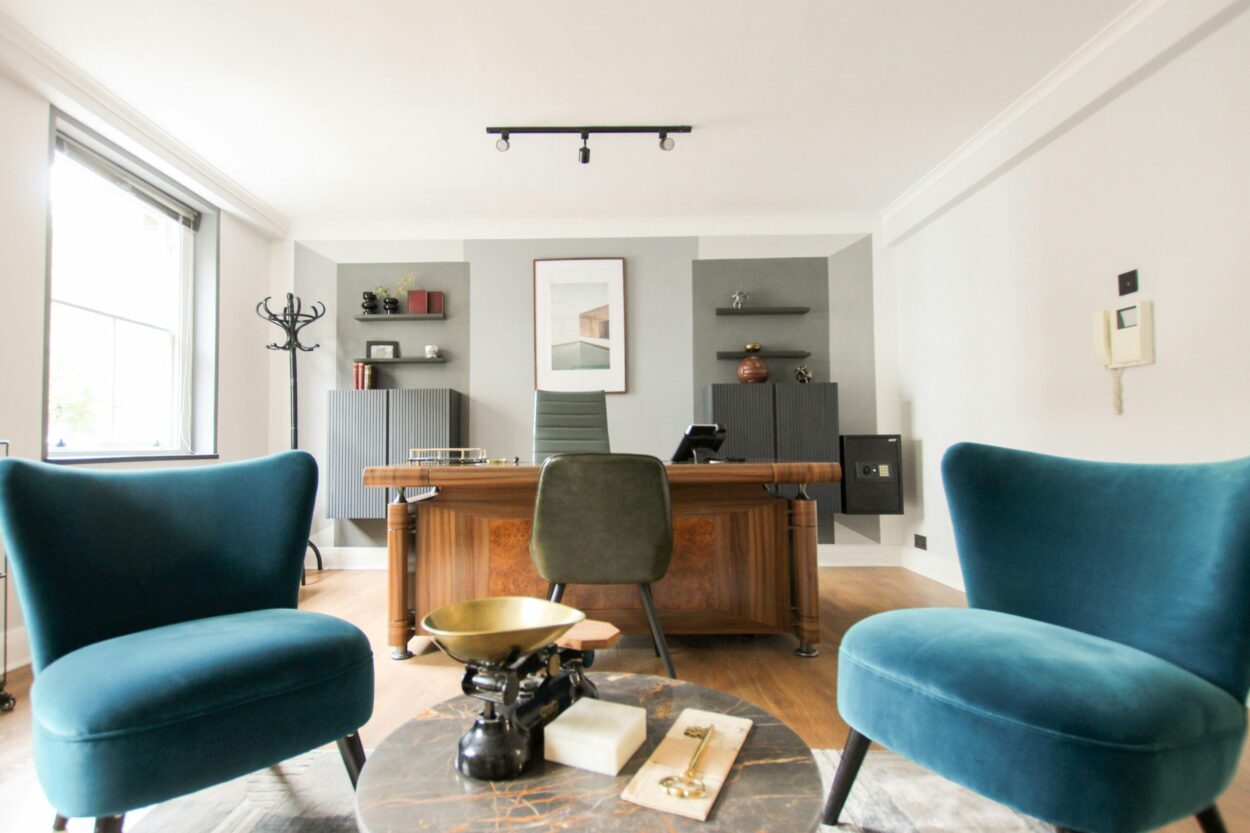
For budding entrepreneurs meeting clients from a spare room, kitchen corner, or rented apartment, the home-based office setup quickly becomes part of the brand. The core tension is real: great work can still feel risky to a new client when the space behind the service looks scattered, awkward, or too personal. Client meeting impressions form fast, whether someone steps through the door or joins a call, and a weak virtual meeting environment can quietly erode trust before the conversation even starts. With a few intentional choices rooted in professional workspace design, a home office can project calm competence. As remote work becomes a regular part of business operations, understanding how offices can successfully adapt to remote work can help entrepreneurs create spaces that support productivity and professional client interactions.
Set Up a Client-Ready Home Office in 5 Steps
This quick setup process helps you shape a home office that feels polished on camera, comfortable to work in, and welcoming if a client ever stops by. It matters because even small choices like what’s behind you on Zoom or where someone sits in the room can change how “put together” you seem.
- Step 1: Map your layout from the camera backward
Start by standing where you normally take calls and note what the camera can see, then rearrange so the background looks clean and intentional. Aim for a simple wall, bookshelf, or neatly styled corner behind you, not a hallway of clutter. If possible, follow the idea to keep work and living spaces separate so your office reads as a workspace, not a spare corner. - Step 2: Create a “one-minute reset” meeting zone
Choose one spot that can be client-ready fast: clear the surface, hide loose cables, and keep a small tray for essentials like a pen, notepad, and water glass. If you meet in person, place two chairs at a comfortable angle and remove anything overly personal from view. The goal is a space that says “I planned for you,” even on a normal day. - Step 3: Dial in your virtual conferencing setup
Set your laptop or webcam at eye level, then do a short test call to check framing, audio, and what your hands do on screen. Put the microphone close enough that you do not need to raise your voice, and silence background noise sources you can control. A calm, clear feed makes the conversation feel smoother and more confident. - Step 4: Choose ergonomic furniture you can sit in for hours
Pick a chair and desk height that let your feet rest flat and your elbows sit comfortably near the keyboard. If you are shopping, use a guided approach like the curated selection of chairs to match the chair style to how you work, not just how it looks. Comfort is part of professionalism because it keeps you focused and un-fidgety during calls. - Step 5: Fix lighting for video calls, not just the room
Face a light source so your face is evenly lit, then soften harsh overhead lighting with a lamp placed slightly in front of you. Avoid strong light behind you since it can turn you into a silhouette on camera. Do one final check at the time of day you usually meet clients, since natural light changes fast.
Prevent Downtime: Protect the Home Systems Behind Your Workspace
Even the most polished office setup can fall apart fast if the house systems behind it decide to quit mid-meeting. A surprise electrical issue or a breakdown in a core home system can knock out your lights, Wi‑Fi equipment, or comfort, exactly when you’re trying to stay professional with a client on the other side of the call (or sitting across from you). One way to reduce that risk is investing in a home warranty, so an unexpected repair doesn’t automatically turn into business downtime. A home warranty is an annual renewable contract that can cover breakdowns to your heating, cooling, electrical, and plumbing systems, along with covering appliance repairs; if you want a clearer picture of what that can look like, here’s a quick read with the details.
Finishing Touches Clients Actually Notice
A home office can be “done” and still not feel client-ready. These finishing touches are the kind of upgrades people notice on video calls and you feel in your day-to-day, without turning your workspace into a design project. Learning how to properly decorate a remote work office can help you balance personal style with a polished, professional atmosphere that makes clients feel comfortable.
- Curate one camera-friendly wall: Pick a single spot behind you to “finish” on purpose: a small piece of art, a shelf with 2–3 meaningful objects, or a tidy book stack plus a plant. Keep it simple and personal, think conversation starter, not clutter museums. If you rent or move things often, use removable hooks and lightweight frames so you can reset the look in 10 minutes.
- Create a two-zone desk setup (work + meeting): Give yourself a “deep work” zone and a “client call” zone even if it’s the same desk. Deep work zone: notes, pen cup, and the one reference you actually use; meeting zone: clear surface, water, and a notepad for names/action items. This tiny reset ritual signals focus and helps you look composed when a meeting starts unexpectedly.
- Upgrade your audio before your video: Clients forgive a less-than-perfect camera faster than they forgive muffled, echoey sound. Add soft materials you can move around: a rug under your chair, thicker curtains, a folded throw on a nearby hard surface, or a fabric wall hanging, simple soundproofing techniques that reduce “empty room” bounce. The idea behind reducing distraction at work is that fewer interruptions and less noise make it easier to stay sharp.
- Add one “instant calm” ambient light source: Overhead lights can be harsh on calls and tiring after a few hours. Use a warm, dimmable lamp to the side of your face (not behind you), then keep overhead lighting for cleaning and file-finding only. If you want to get more precise, ergonomic lighting specialists can help you think through glare, screen reflections, and eye comfort.
- Make cables disappear in one pass: Set a 20-minute timer and do a “cable sweep”: bundle cords, route them along a desk leg, and label the power bricks with masking tape (monitor, router, laptop). This makes troubleshooting faster when something hiccups, exactly the kind of downtime prevention that pairs nicely with having coverage or a backup plan for home systems. Bonus: a cleaner visual on camera.
- Build a 3-tier organization system you can maintain: Tier 1 is on-desk (one tray for today, one cup for pens); Tier 2 is within arm’s reach (a small drawer unit for supplies); Tier 3 is out-of-frame storage (a bin for bulk items). The rule is “no piles without a container.” When a client asks for a document, you’ll know whether it’s in the tray, drawer, or bin, no frantic shuffling.
- Add a “privacy and professionalism” kit: Keep a small basket with a neutral backdrop or screen, a door sign, and a pair of headphones. This helps when you need to switch from casual work mode to confidential mode fast, especially if you share your home or your walls are thin. It also sets you up for smoother calls when etiquette, privacy, and budget constraints collide in real life.
Home Office FAQs Clients and Real Life Bring Up
Q: What’s the simplest way to look professional on a client call fast?
A: Put your camera at eye level, face a light source, and clear only what’s in frame. A sticky note with your agenda and the client’s name next to the camera helps you stay calm and present.
Q: How do I handle background noise or interruptions without looking unprepared?
A: Start by being mindful of your volume level and closing windows or doors before you join. If something happens, acknowledge it briefly, mute, and keep going. Most clients care more about how you recover than whether your home is perfectly quiet.
Q: What should I do when my video looks messy, but I can’t redecorate?
A: Use virtual background options or a blur feature and keep your real background simple. One neutral wall plus a plant is enough to feel intentional.
Q: How can I protect privacy if I share my space or discuss sensitive topics?
A: Wear headphones, angle your screen away from doorways, and keep a foldable backdrop handy for quick confidentiality. A door sign or calendar block also signals “do not interrupt” without sounding harsh.
Q: Can I make my office feel impressive on a tight budget?
A: Yes. Prioritize audio clarity, a single warm lamp, and basic cord control. These low-cost changes often create the biggest “polished” difference on calls.
Schedule One Home Office Upgrade to Boost Client Confidence
It’s easy to know what a polished setup should look like and still feel stuck between daily work, real-life interruptions, and the pressure to look professional on camera. The way through is a steady, intention-first mindset: treat the home office as a working system that supports focus and signals trust, not a perfect showroom. When that clicks, the home office productivity benefits show up fast, fewer distractions, smoother calls, and a noticeable client engagement improvement that reinforces entrepreneurial empowerment. A credible workspace isn’t fancy; it’s consistent.